Générique
DVI ↔ HDMI Adapter • DVI-D male to HDMI female • Full HD supported • NEW
DVI ↔ HDMI Adapter • DVI-D male to HDMI female • Full HD supported • NEW
Couldn't load pickup availability
🔌 DVI-D ↔ HDMI ADAPTER — NEW
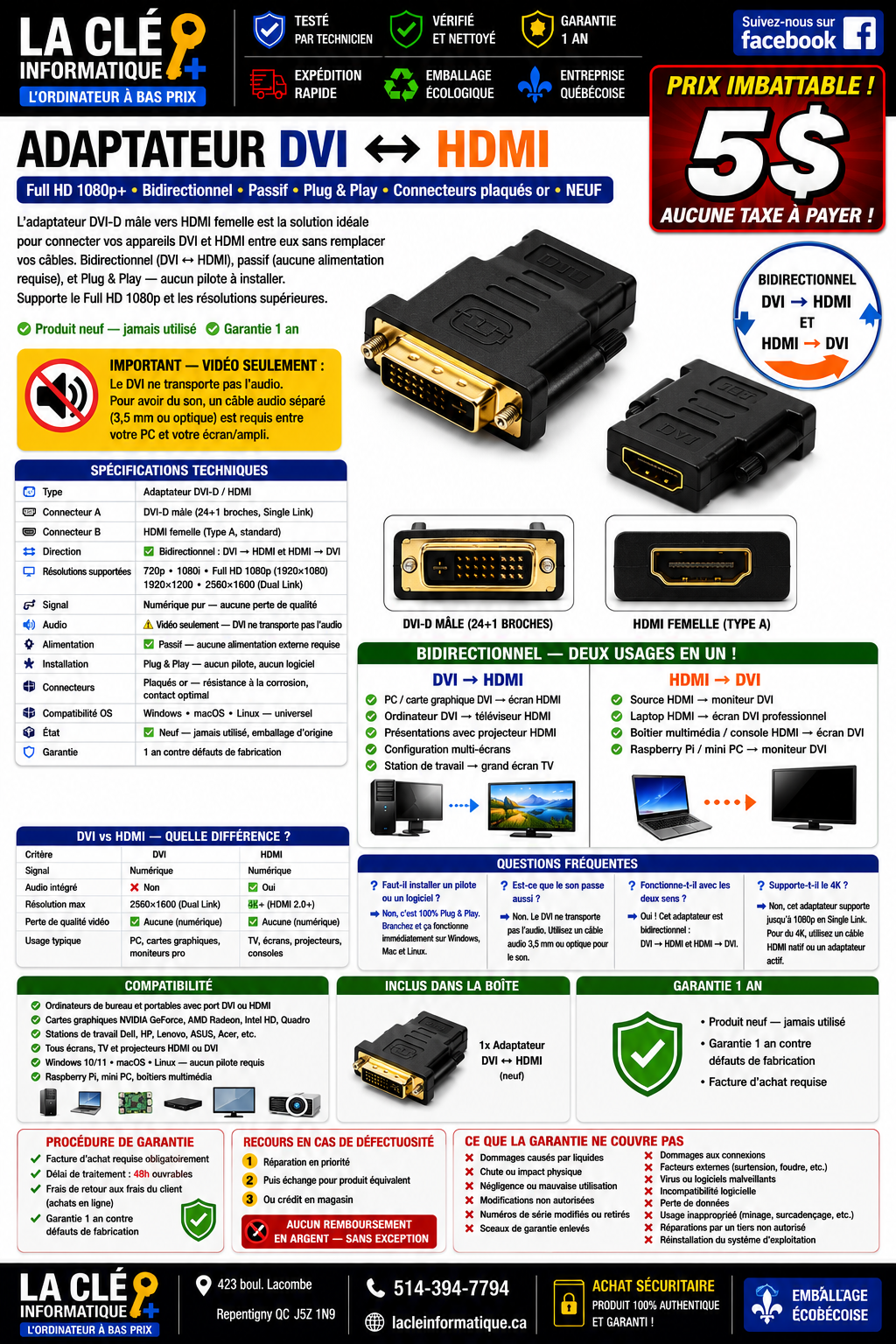
DVI-D male • HDMI female Type A • Passive digital connection • Bidirectional as stated • Full HD as stated
📅 Listed: August 29, 2026
🔄 Updated: October 30, 2026
💰 $5 CAD • 🛡️ 1-year limited in-store warranty
✅ New product, never used, in protective packaging as per the listing.
😊 In simple terms
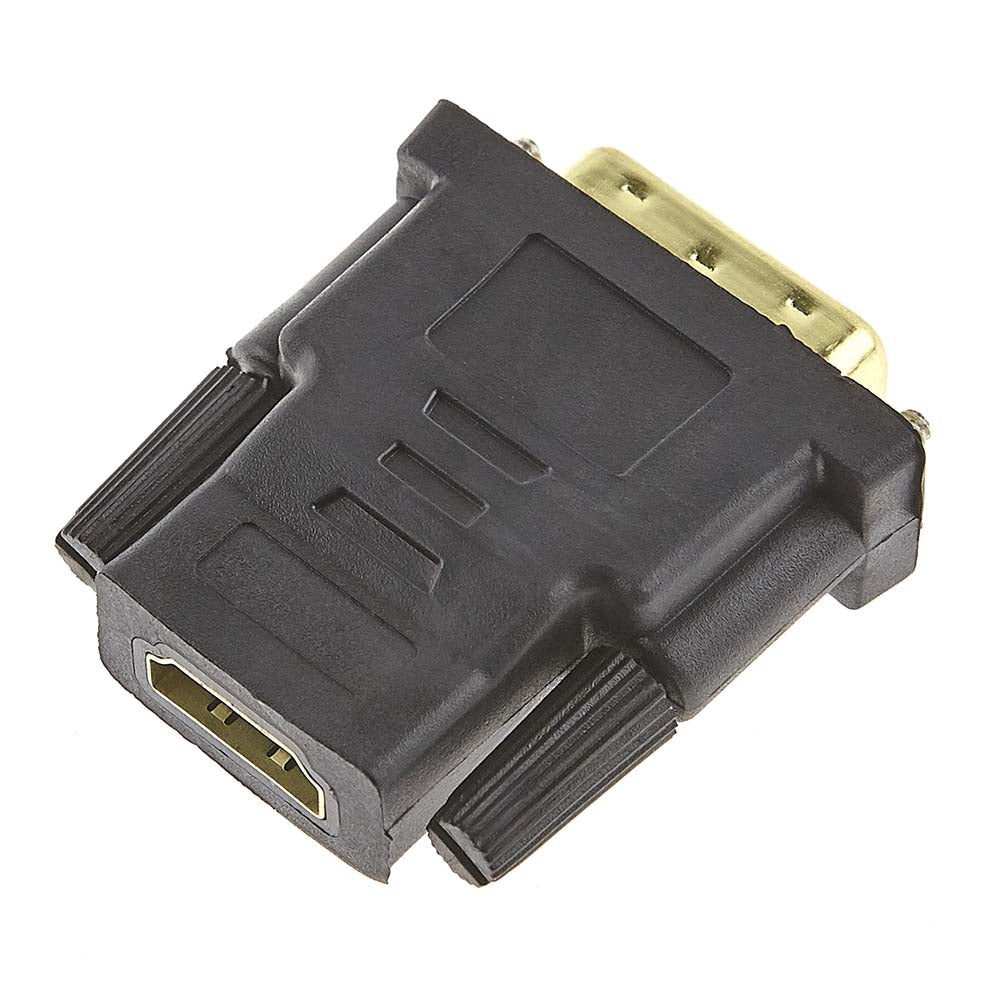
A small new $5 adapter to connect compatible digital devices and keep a still-useful screen in service. It has a DVI-D male side and an HDMI female port. The listing states it works both ways: DVI computer to HDMI screen, or HDMI computer to digital DVI screen.
The HDMI cable is not included. The adapter is passive: no external power supply and no specific driver to install. However, you must check the ports and a resolution common to your devices.
Important: it does not convert VGA and does not create an additional video output. This offer is for digital video, with sound not guaranteed. Plan for a separate audio solution. Full HD and up to 1920 × 1200 at 60 Hz are stated depending on the devices and cables, but no 4K or high-frequency DVI Dual-Link.
Adapter only, new, with a 1-year limited in-store warranty starting from the date of billing.
Want all the details? Read the full listing ↓📖 Full detailed listing
Connections, setup scenarios, limitations, and conditions are presented below.
🔎 Key points to remember before purchase
- Connectors: standard DVI-D male to HDMI female Type A. Check the shape and space around your ports.
- Stated bidirectional connection: digital DVI output to HDMI screen, or HDMI output to compatible digital DVI screen.
- Passive adapter: no external power supply or specific driver to install.
- Digital video only: does not convert to analog VGA.
- Full HD 1920 × 1080 and up to 1920 × 1200 at 60 Hz stated in the listing, depending on the source, cable, and screen.
- Plan for a separate audio solution; sound transmission is not guaranteed by this offer.
- Not intended for 4K or high-frequency DVI Dual-Link connections.
- $5 CAD, NEW, 1-year limited warranty. HDMI cable and devices not included.
💳 Payment methods
🟢 PayPal
Ships the same day or the next business day after payment confirmation.
🟡 Card on the site
Security verification may take up to 3 business days before shipping.
At $5, this small adapter bridges your devices without digging a hole in your budget!
Also accepted in-store: debit card and cash.
📜 Store policy
FINAL SALE
Parts and accessories are final sale; no cash refund according to store policy.
REMEDY
Covered defect: free repair, then exchange for a new identical or equivalent item; store credit if no equivalent is available.
SUPPORT
Service request or follow-up processed within 48 business hours. This timeframe refers to the initial response, not necessarily a completed repair.
INVOICE
Original invoice required to apply the warranty.
📞 514-394-7794 • Tuesday to Sunday, 12 p.m.–5 p.m.
Online returns at the customer's expense to the Repentigny service center.
⭐ Keep a compatible screen in service
Your laptop has an HDMI output, but your monitor still has a digital DVI input? This adapter can make the connection, with an HDMI cable and a resolution common to both devices.
It can also connect a digital DVI output from a PC to an HDMI input on a compatible monitor, TV, or projector. A compact and economical solution to adapt the connection without replacing a still-useful screen.
It does not create an additional video output: the number of usable screens always depends on the computer and its graphics card.
🔄 Usage scenarios
| Direction | Source | Display | Example |
|---|---|---|---|
| DVI to HDMI | PC or graphics card with digital DVI output. | HDMI monitor, TV, or projector. | Adapt a DVI output to an HDMI screen; adapter on the DVI port, HDMI cable to the screen. |
| HDMI to DVI | HDMI laptop or PC; console or multimedia box if compatible. | Monitor or projector with digital DVI input. | Reuse a DVI monitor; adapter on the screen, HDMI cable to the source. |
Bidirectionality stated in the listing. Check common resolutions and, for protected content, HDCP compatibility across the entire chain. No universal operation with all consoles or all screens is guaranteed.
📋 Detailed specifications
| Type / brand | Generic digital video interconnection adapter. |
| Design | Passive and compact, no external power supply or specific driver. |
| Connector A | Digital DVI-D male. Can be plugged into a DVI-D port or the digital part of a compatible DVI-I port; pin layout to be checked. |
| Connector B | Standard Type A HDMI female. |
| Signal | TMDS digital connection; DVI-D to HDMI or HDMI to DVI-D operation stated. |
| Stated resolutions | 480p, 720p, 1080i, 1080p (1920 × 1080), up to 1920 × 1200 at 60 Hz depending on the listing and devices. |
| Audio | Offer intended for video; use a separate audio connection suited to your devices. |
| Contacts | Gold-look protective coating as per the listing; plating composition and certification not documented. |
| Systems | No specific driver for the adapter on Windows, macOS, Linux, or ChromeOS. Hardware compatibility to be checked. |
| Condition | NEW, never used, sealed protective packaging as per the listing. |
| Price / warranty | $5 CAD / 1-year limited in-store warranty starting from the date of billing. |
Features stated in the store listing. No certification report or quantified test of this reference is provided.
🔍 Understanding DVI and HDMI
DVI-D carries the digital video signal. DVI-I can combine digital and analog signals: this adapter uses only the digital part. VGA is analog.
HDMI is a common digital connection on TVs, consoles, projectors, and computers. The presence of a port is not enough to guarantee all resolutions or all functions.
DVI-D and HDMI use compatible digital video signals in several configurations. This passive adapter establishes the connection when the devices support common features.
It does not convert VGA, even plugged into a DVI-I port. It does not convert resolution, improve image quality, or guarantee a connection without any loss or interruption, regardless of the cable.
🎯 Recommended uses
- Connecting an additional screen to an existing compatible video output.
- Reusing a digital DVI screen with an HDMI computer.
- Connecting a digital DVI PC or graphics card to an HDMI screen.
- Standard office, study, remote work, and entertainment.
- Counter display, terminals, reception desk, or server room with compatible connectivity.
- Projector or TV with a compatible input.
- Troubleshooting a digital video connection.
⚠️ Not intended for
- 4K 3840 × 2160.
- High-frequency DVI Dual-Link, especially certain 144 Hz screens.
- Conversion to VGA or other analog signal.
- Guaranteed audio transmission.
- Creating video ports or increasing the number of supported screens.
🔌 Installation and connection
- Check your computer and screen connectors as well as the available space around the ports.
- Ensure that both devices support a common resolution.
- Insert the DVI-D male connector into the corresponding digital port without forcing the pins.
- Plug a compatible HDMI cable into the adapter's HDMI female port.
- Connect the cable to the other device.
- Select the correct video input on the monitor or TV.
- Adjust the resolution in the display settings if necessary.
No external power supply or specific driver for the adapter is required. PC display settings may, however, require adjustment. The HDMI cable must be purchased separately.
🔊 Sound and audio transmission
This offer is intended for the video connection, with no guarantee of audio transmission. Plan for a separate connection suited to your devices:
- 3.5 mm audio output from the computer, if available.
- External speakers.
- Headphones.
- Compatible digital audio output, if available.
The audio solution depends on the computer and screen used. Do not assume that sound will be transmitted by this adapter in your setup.
📦 Included in the $5 CAD
🔌 New adapter
DVI-D male ↔ HDMI female, in protective packaging.
Not included
- HDMI cable.
- Audio cable.
- Computer or screen.
- VGA adapter.
- External power supply, not required for this passive adapter.
✅ Preparation and shipping
New product, inspected and validated by the logistics team according to the listing. Inspection of the packaging and order preparation. Fast shipping after confirmation and payment processing, under reinforced protective packaging.
International shipping offered by the store, depending on the destination and available options for the order. Fees and timeframes vary depending on the delivery address.
🛡️ 1-year limited warranty
Duration retained from the listing: 1 year from the product's new billing date, against manufacturing defects according to the store's terms.
🔁 Procedure
Original invoice required. Free repair of the covered defect, then exchange for a new identical or equivalent item in value if irreparable; store credit if no equivalent is available. No cash refund according to store policy.
Requests or follow-ups processed within 48 business hours; this timeframe refers to the initial response, not necessarily a completed repair. For shipped orders, secure return fees to the Repentigny service center are at the customer's expense.
❌ Exclusions stated in the listing
- Liquids, beverages, or prolonged exposure to excessive moisture.
- Drop, impact, shock, or improper handling during connection.
- Negligence, misuse, or lack of maintenance.
- Unauthorized structural modification or repair.
- Modified, altered, or removed labels or markings.
- Broken, cut, or removed packaging security seals, according to the terms of the listing.
- Forced insertion, bent DVI pins, or damaged HDMI connector.
- Power surge, lightning, short circuit, or other external factors.
- Windows, programs, viruses, or PC graphics driver conflicts causing display anomalies.
- Incompatibility with custom resolutions or modified or obsolete configurations.
- Data loss or work interruption on the connected PC.
- Assistance with display or frequency settings under Windows or macOS.
- Intervention, adjustment, or maintenance by an unauthorized third party.
- Use outside specifications, especially in a dusty or damp industrial environment.
❓ Frequently asked questions
Can I connect an HDMI computer to a DVI screen?
Yes, if the screen has a compatible digital DVI input. The adapter is placed on the screen side and connects to the computer with an HDMI cable. Check the connectors and a common resolution.
Can I connect a DVI graphics card to an HDMI screen?
Yes, if the DVI output is digital and the resolutions are compatible. The adapter is placed on the DVI output, then the HDMI cable connects to the screen.
Is there a required direction?
The product page states that it works in both directions: digital DVI to HDMI and HDMI to digital DVI. The physical connectors, source, and display must remain compatible.
Can I get 4K?
No, this product is rated for Full HD and up to 1920 × 1200 at 60 Hz. For 4K, choose a connection whose devices, ports, and cables actually support the desired resolution and refresh rate.
I have video, but no sound. Is that normal?
This product is intended for video only, with no audio guarantee. Use the PC's speakers or headphones, or a separate audio connection, such as a 3.5 mm jack, if your devices support it.
Do I need to install a driver?
No driver is required for this passive adapter. Select the correct input on the monitor and check the computer's display settings.
Does it work with all brands?
The presence of the NVIDIA, AMD, Intel, Dell, HP, Lenovo, ASUS, or Acer logo does not guarantee compatibility. Check the digital ports, resolutions, and requirements of the source and display.
Can I use it with VGA?
No. VGA is analog and requires a different type of conversion.
Is the HDMI cable included?
No. Only the adapter is included for $5 CAD.
♻️ GIVE OUR COMPUTERS A SECOND LIFE
Repairing, reusing, and refurbishing computer equipment helps extend its lifespan and reduce waste. The right accessory can help keep a compatible display in use. When reuse is no longer possible, responsible recycling is the best choice.
THINK BEFORE YOU THROW IT AWAY! Let's explore the possibilities before discarding computer equipment.
So that future generations do not pay the price of past generations.
This mission describes our general commitment. The adapter offered in this listing is new, not refurbished.
🔑 Why choose LA CLÉ INFORMATIQUE?
- Male DVI-D to female HDMI adapter.
- Passive digital connection.
- Rated for bidirectional operation.
- Rated for Full HD.
- No dedicated driver to install.
- No external power supply required.
- New product according to the store listing.
- 1-year limited in-store warranty.
At $5 CAD, it is a compact and affordable solution for connecting two compatible digital devices and extending the life of a still-functional display.
LA CLÉ INFORMATIQUE — LOW-COST COMPUTERS
📍 423 boul. Lacombe, Repentigny, QC J5Z 1N9
📞 514-394-7794
🕛 Tuesday to Sunday, 12 p.m. to 5 p.m.
Share